
柳叶刀科技工作室|Lancet Studio
柳叶刀支持 / Support
中文
最后更新:2026 年 9 月 1 日
柳叶刀是一款适用于 iPhone 和 iPad 的图片隐私打码工具。应用在设备本地处理照片,始终生成新副本,不修改原图。
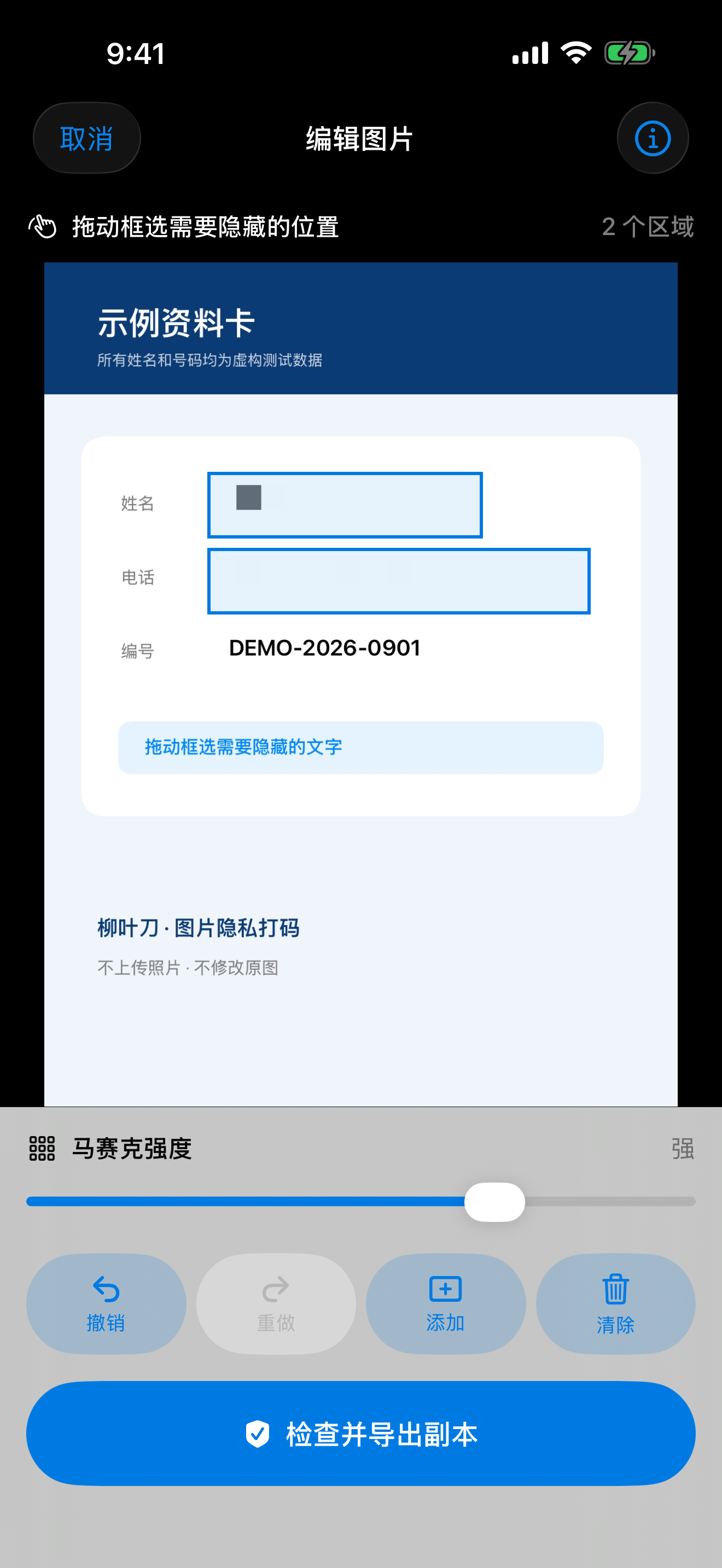
使用步骤
- 选择一张照片。
- 在图片上拖动,框选需要隐藏的区域;可以添加多个矩形选区。
- 调整马赛克强度,并使用撤销、重做或清除功能修正选区。
- 选择“检查并导出副本”,确认结果后保存到照片或通过系统分享面板导出。
隐私与文件处理
照片不会上传到服务器。导出文件重新编码为 JPEG,不保留原图中的 GPS、设备信息或嵌入缩略图。完整说明请查看柳叶刀隐私政策。
常见问题
为什么没有修改原图?
柳叶刀只生成新副本,便于用户保留原始文件并在分享前重新检查。
为什么保存失败?
请在系统“设置”中允许柳叶刀向照片图库添加图片,或改用系统分享面板导出。
马赛克是否绝对不可恢复?
不能这样保证。请选择完整区域并使用足够强度,在分享前仔细检查导出结果。
系统要求与联系
需要 iOS 17、iPadOS 17 或更高版本。如需帮助,请发送邮件至 support@lancet.studio。
English
Last updated: September 1, 2026
“柳叶刀” is a photo privacy masking tool for iPhone and iPad. It processes photos locally, always creates a new copy, and never modifies the original image.
How to Use
- Select a photo.
- Drag on the image to select each area that needs masking. Multiple rectangular regions are supported.
- Adjust mosaic strength and use Undo, Redo, or Clear to correct the selections.
- Choose Review and Export Copy, inspect the result, then save it to Photos or export it with the system share sheet.
Privacy and File Handling
Photos are not uploaded to a server. Exported files are re-encoded as JPEG and do not retain GPS, device information, or embedded thumbnails from the source image. See the full 柳叶刀 Privacy Policy.
Common Questions
Why is the original image unchanged?
The app creates a new copy so the source file remains available and the export can be checked before sharing.
Why did saving fail?
Allow the app to add images to Photos in System Settings, or export with the system share sheet instead.
Is mosaic masking absolutely irreversible?
No such guarantee is made. Select the complete area, use sufficient strength, and inspect the exported result before sharing.
System Requirements and Contact
iOS 17, iPadOS 17, or later is required. For help, email support@lancet.studio.